
Type a few sentences, click generate, and a minute later you are losing at a game that did not exist when you sat down. That is the whole pitch of text to game, and the reason it feels like a trick is that, until quite recently, it was. Making a video game meant learning an engine, writing code, sourcing art, and debugging into the small hours. Text to game takes most of that off the table. You describe the game; the model builds it; you play it.
This guide walks through what "text to game" actually means, how a prompt becomes a running game under the hood, how to write one that lands, and which kinds of games are worth trying first. If you would rather just play, the showcase library on makegame is full of games that began as single sentences. Read on for the map.
What "text to game" actually means
Text to game is exactly what it sounds like: the input is text, the output is a game. You describe the thing you want to play — a one-button flyer, a bolt-unscrewing puzzle, a line-drawing game where you shield a character from danger — and the system turns that description into something you can click and run.
The easy mistake is confusing this with the other tools that share the "text-to" prefix. Text-to-image gives you a picture. Text-to-3D gives you a model. Text-to-code gives you a script. None of those is a game. A game is interactive: it has rules, a win state, a lose state, and something the player does every second. Text to game is the only one whose output you can play, lose at, and try again.
It also is not traditional game development with an AI typing code next to you. In a text-to-game tool you never open an editor, never import a sprite, never set up a physics scene. You stay on the language side the whole time. The trade is control for speed: you give up the ability to hand-tune every variable, and the distance from idea to playable collapses from weeks to minutes.
How text-to-game works under the hood
Here is the part most guides skip. "Describe a game and it appears" sounds like magic, so it helps to know what is actually happening, because understanding the mechanism makes you better at prompting it.
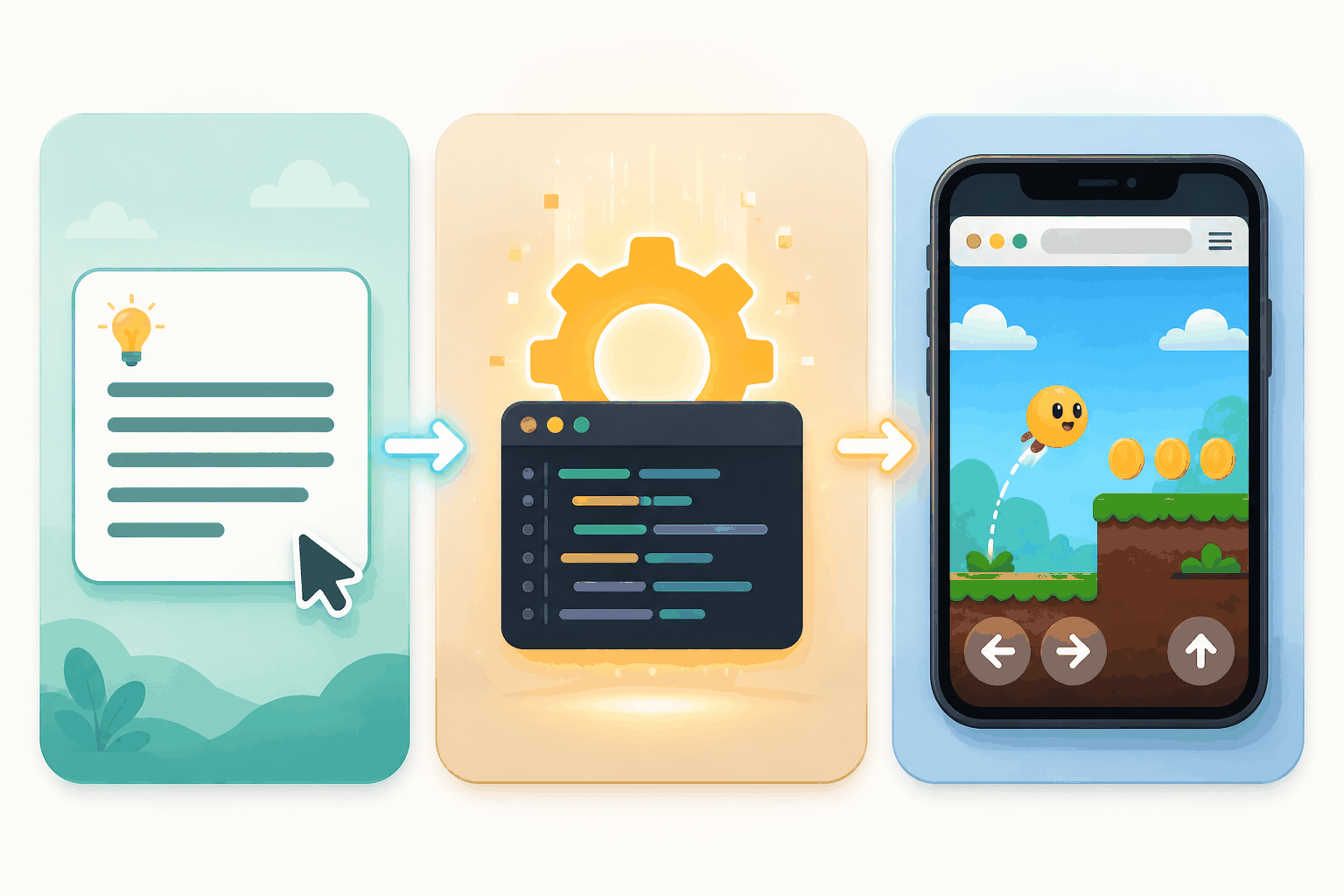
A text-to-game generator is, at its core, a code generator pointed at a narrow target: small games that run in a browser. When you submit a prompt, the system does something like the following.
First it reads the description and pulls out the bones of the game — the main entity, what the player does, how you win, how you lose, the overall feel. This is the same work a designer does on a napkin sketch, just faster.
Then it writes the game as code. Browser games are almost always HTML5 and JavaScript, often drawing onto a <canvas> element, because that combination runs on any device with a browser and zero install. The model has seen enormous numbers of small-game implementations, so for well-trodden mechanics — a flappy clone, a match-three, a sliding tile puzzle — it can produce a working draft in a single pass.
Art gets handled alongside the code. Depending on the tool, visuals are generated, pulled from a built-in library, or drawn programmatically as simple shapes and flat colors. A lot of these games look geometric for exactly this reason: shapes are reliable, and reliable beats pretty when the goal is "it runs."
Finally everything — code, art, rules — gets wrapped into one runnable file that loads in the browser. You press play, and it works, or it does not, and you ask for a fix.
The part that separates a toy from a tool is the refinement loop. When you type "make the ball faster," a decent text-to-game system does not rebuild the whole game from your original prompt. It edits the existing code — finds the velocity, changes the number, leaves everything else intact. That is why the second prompt feels cheap and the tenth feels like sculpting rather than starting over.
One honest caveat. The pipeline above describes how the category works in general, and the lines between "generate," "retrieve," and "edit" blur from tool to tool. The point is that text to game is code generation aimed at a game-shaped target, not sorcery. Knowing that makes the limits less surprising and the wins less mysterious.
A text-to-game walkthrough, step by step
The whole loop is five moves, and the first four happen in one sitting.
1. Describe the game in one prompt
The prompt is the entire design document, so a lazy prompt hands you a lazy game. "Fun zombie game" tells the model almost nothing. A reliable structure is four lines:
- The idea, in one sentence.
- The core mechanic — what is the player actually doing each second?
- How you win, and how you lose.
- The feel: fast or slow, tense or relaxed.
A real example, for a bolt-unscrewing puzzle: A puzzle where you remove screws from stacked metal plates in the right order so each plate drops away. Click a screw to unscrew it. You win when the screen is clear; you lose when no plate can fall. Calm and satisfying, like untying a knot. That description maps straight onto Screw Puzzle in the showcase library — you can see exactly what a prompt like that turns into.
2. Generate
Drop the prompt into the AI game generator and run it. A first pass usually takes under a minute, and you get a playable build rather than a static mockup.
3. Play before you judge
The first version often looks rough and plays better than it looks, or the other way around. Play through it. Note the one or two things that are broken or dull. Those become your next prompt.
4. Refine with follow-up prompts
This is the skill. Do not ask for a new game; ask for a change to the one you already have. "Make the ball faster." "Add a 60-second timer that ends the round." "When the player hits three in a row, flash the screen." Each follow-up edits the existing game instead of starting over, and that is how a rough draft becomes something genuinely fun.
5. Share, embed, or export
Once it plays the way you want, send the link, embed it in a blog or a Notion page, or pull out the code if you want to keep tinkering yourself.
What kinds of games you can make
Text to game is not equally good at everything. The tools shine when a game's fun comes from one tight rule, and they wobble when the fun comes from sheer volume or physics that needs to feel just right. Here is how that plays out across genres, with real examples you can click and play.
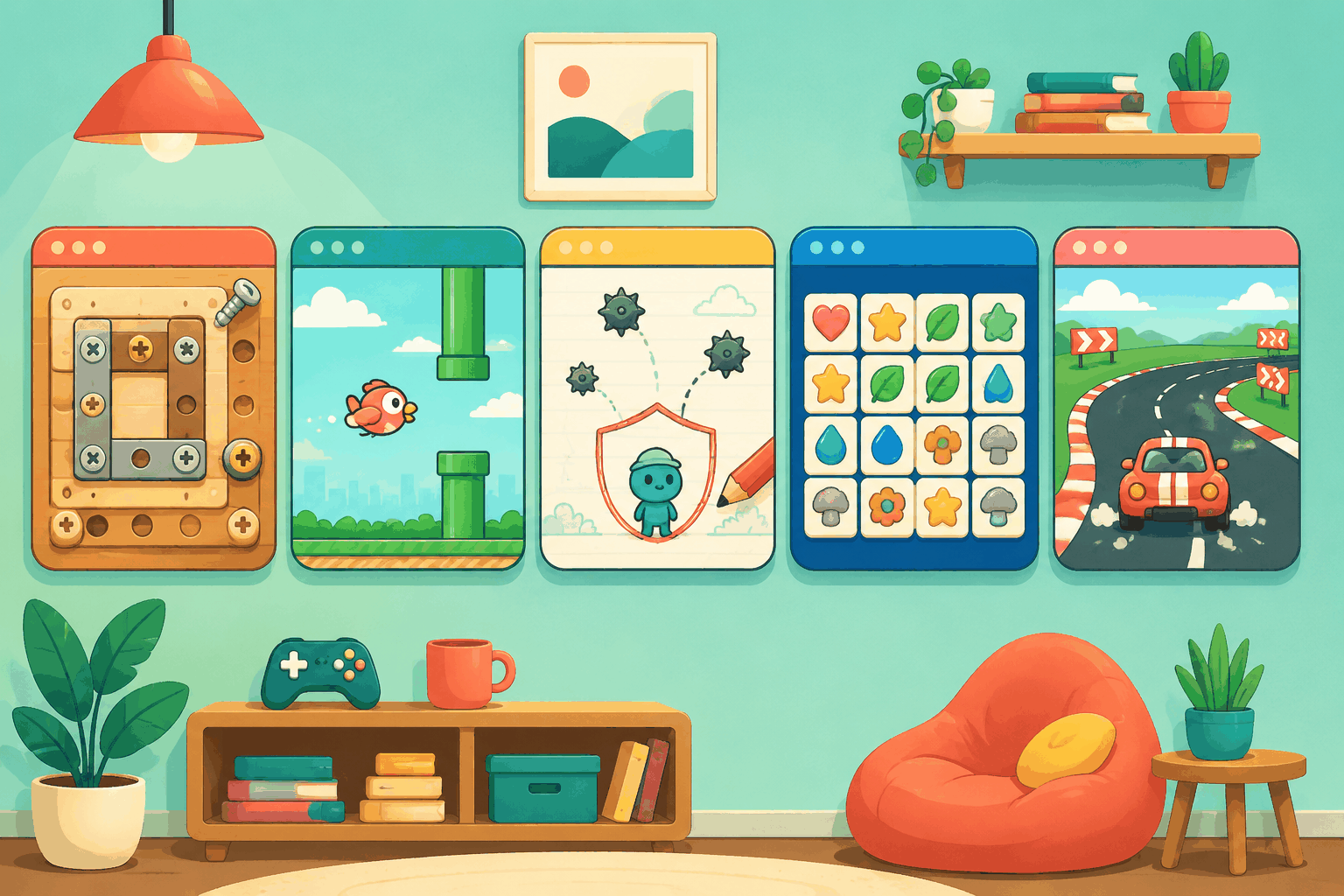
Puzzle is the sweet spot. The rules are precise, the game state is small, and there is usually one correct answer — all things models handle cleanly. Screw Puzzle is a bolt-unscrewing logic game that could be described almost entirely with the four-line structure above.
Arcade works well when the mechanic is simple. One-button games translate beautifully because the entire design fits in two sentences. Flappy Bird is the canonical case — flap up when you click, fall when you do not, dodge the pipes — and it is the game I would tell a complete beginner to build first.
Strategy and physics land in the middle of the range. Draw to Save Dog has you sketch a barrier to protect a character from danger. The idea is easy to describe; whether your line actually holds under the physics is where the refinement loop earns its keep.
Card and tile games are surprisingly strong, because the rules are formal and well documented. Mahjong Blast reproduces classic tile-matching without needing any bespoke design work — the model just has to implement known rules.
Then there are racing and sports, which is where you feel the limits. You can get something playable — Racing Rush is a working example — but the feel of steering and collision usually needs several follow-up rounds before it stops being floaty or unfair.
The rule of thumb: if you can explain the game to a friend in two sentences, text to game is a strong fit. If the fun depends on hundreds of hand-built levels or physics tuned to the millimeter, you are better off elsewhere for now.
Frequently asked questions
What does "text to game" mean?
Text to game means using a written description to generate a playable game. You write what the game is — the idea, the core mechanic, how you win and lose — and an AI builds a running version, usually an HTML5 game that plays in a browser. What separates it from text-to-image or text-to-code is that the output is something you can actually play, not just look at or run as a script.
Can I really make a game just by describing it?
Yes, for the right kinds of games. Single-mechanic arcade games, puzzles, card and tile games, and light strategy all turn out well from a single prompt. The catch is that the first generation is a draft — the game gets good during refinement, when you ask for follow-up changes in plain language. Large, content-heavy games and physics that needs precise tuning are still hard.
What kinds of games work best with text to game?
Games whose fun comes from one tight rule. A one-button flyer, a logic puzzle, a tile-matcher, a line-drawing defense game — anything you could explain to a friend in a couple of sentences. Games that depend on huge volumes of hand-designed levels, persistent multiplayer, or millimeter-precise physics are still out of comfortable reach.
Try it with your own idea
That is the whole shape of text to game: you describe it, the model builds it, you play it, you refine it, and you ship it. The only part that ever feels hard is writing the first prompt, and that gets easier the moment you run one.
Pick the simplest idea in your head — one button, one rule, one win condition — and describe it before you talk yourself out of it.
Start with the AI game generator → — describe your idea, play what comes back, and refine it in plain English. No install, no code, runs right in your browser.