
Orbit Zero
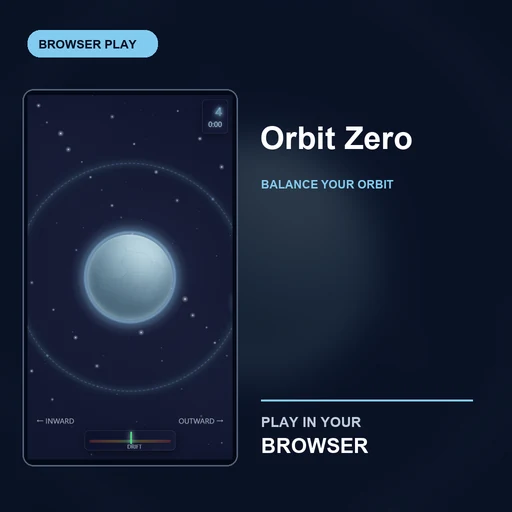
Keep a satellite inside its safe orbit in Orbit Zero. Make small inward and outward thrust corrections, watch the drift indicator, and hold your balance as disturbances grow.
About Orbit Zero
Find your balance in Orbit Zero
Orbit Zero is a space arcade game about making small corrections at the right moment. Your satellite needs to stay near a glowing safe orbit. Use inward and outward thrust to control drift, build a score, and survive as the forces disturbing the orbit become less forgiving.
Short inputs matter
Holding a direction for too long can send the satellite past the safe zone and create another problem to correct. Try a brief input, release, and observe the movement before acting again. The challenge comes from balancing those adjustments rather than rapidly alternating between both controls.
Read the orbit indicator
Green indicates a safe position, yellow warns that you are drifting, and red signals danger. Use the safe glow and the indicator together to decide whether the satellite needs inward or outward thrust. Remaining in the scoring zone rewards stable control.
Choose the pressure you want
SETTINGS offers Easy, Normal, and Hard force levels, along with audio and color controls. Use BALANCE GUIDE to review the inputs before entering orbit. When a run ends, compare your score and survival time, then try another approach to the same balancing problem.
How to Play Orbit Zero
- Choose ENTER ORBIT to begin. Open BALANCE GUIDE first if you want the control explanation.
- Hold Left or A for inward thrust. Hold Right or D for outward thrust. On touch screens, use the left and right sides of the play area.
- Apply short corrections to keep the satellite close to the glowing safe orbit. Release the control between corrections.
- Watch the drift indicator: green is safe, yellow is a warning, and red is critical.
- Stay in the safe zone to build your score while disturbances become harder to manage.
- After losing orbit, review the score and survival time, then choose TRY AGAIN. SETTINGS contains Easy, Normal, and Hard options.
Orbit Zero FAQ
What is the goal of Orbit Zero?
Keep the satellite near the safe orbit for as long as possible. You earn points by maintaining control while disturbances grow during the run.
Which direction moves the satellite inward?
Use Left or A for inward thrust and Right or D for outward thrust. Touch players use the corresponding left or right side of the play area.
Why do my corrections make the orbit worse?
Long inputs can push the satellite past the safe zone and start an oscillation. Try short thrust inputs with pauses between them so you can see the effect before correcting again.
What do the drift colors mean?
Green means safe, yellow means warning, and red means critical drift. Use the indicator with the glowing orbit to judge when a correction is needed.
Can I make the game easier?
Yes. Open SETTINGS and choose Easy for gentler forces. Normal and Hard provide stronger disturbances. The same panel also contains audio and color settings.
Does Orbit Zero require a download?
You can play directly in a compatible browser using keyboard or touch controls. Choose ENTER ORBIT to start a run.
Is the score table a global leaderboard?
In this hosted build, submitted scores are kept in browser-local storage. They are separate between browsers and devices rather than synchronized to a worldwide account.